


Quick Answer
Nulls Brawl is an Android APK that installs alongside the official Brawl Stars app without conflict. The only extra step beyond a normal installation is enabling Unknown Sources in Android settings for your browser or file manager. After that the install takes under two minutes and all 106+ brawlers are unlocked immediately.
What You Get After Installing
Every brawler available in Brawl Stars as of Season 53 Windstock is unlocked from the first session, including Nori and Wendy. Skins, gadgets, star powers, hypercharges, gear upgrades, and the current season's cosmetics are all available without grinding or spending anything. The private server runs the same game engine as official Brawl Stars with all content limits removed. If you have questions about account safety before you download, read whether Nulls Brawl is safe first.
- All 106+ brawlers at maximum level from the first login
- Every skin in the Season 53 Windstock cosmetic catalog
- Unlimited gems, coins, and Power Points
- All game modes including ranked and special events
- Season 53 Brawl Pass content including Wendy
- Null's Connect account to save your progress across devices
Requirements
| Requirement | Minimum | Notes |
|---|---|---|
| Android version | 5.0 (Lollipop) | Released 2014; nearly every active phone qualifies |
| APK download size | 290 MB | Wi-Fi recommended; remaining assets stream on first launch |
| Total installed size | ~1.15 GB | Allow 1.5 GB free to be safe |
| RAM | 2 GB | 3 GB or more for stable 60 fps |
| Internet | Required | Needed during first launch to load game assets |
You do not need to uninstall the official Brawl Stars app. Nulls Brawl uses the package name com.nulls.brawl, which differs from com.supercell.brawlstars, so both apps coexist on the same device without conflict.
Step-by-Step Installation
- 1
Enable Unknown Sources for your browser
Open Settings on your Android device and go to Apps (or Application Manager). Tap the three-dot menu in the top-right corner and select Special Access, then Install Unknown Apps. Find the browser or file manager you will use to open the APK and toggle Allow from this source to on. This setting must be active for the specific app opening the file, not just globally.
- 2
Download the APK from this site
Tap the download button on the [main download page](/download-nulls-brawl). The file is 290 MB. Watch the progress bar in your notification drawer and wait until it reaches 100% before proceeding. A partial download causes a silent failure at the final installation step with no useful error message.
- 3
Tap the APK file to begin installation
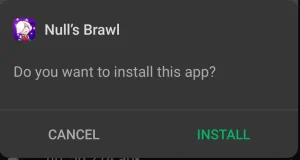
Open your downloads folder or tap the completed download in the notification bar. Android will present an installation confirmation screen. Tap Install. The process runs for 30 to 90 seconds depending on device speed. Do not navigate away from the screen during this time.
- 4
Handle the Play Protect prompt if it appears
Google Play Protect may display a warning that the app was not verified by the Play Store. This is an automatic flag triggered by the installation source, not a scan result specific to this file. Tap More Details and then Install Anyway to proceed. This prompt only appears once per installation.
- 5
Create a Null's Connect account
Open Nulls Brawl from your home screen. The first launch loads a small additional asset bundle, which takes one to three minutes over a typical connection. When the login screen appears, choose a username and password. No email address is required. Write down your credentials because the system does not support password recovery.
Enabling Unknown Sources by Android Brand
The Unknown Sources setting moved between Android versions and varies significantly by device manufacturer. The general path works on stock Android, but Samsung and Xiaomi have their own locations. Once you're set up, the download page has the latest APK.
- Stock Android (Pixel, Motorola near-stock): Settings > Apps > three-dot menu > Special access > Install unknown apps > select your browser
- Samsung One UI: Settings > Apps > three-dot menu top-right > Special access > Install unknown apps > select your browser
- Xiaomi MIUI 12 and later: Settings > Manage apps > Special app access > Install unknown apps > select your browser
- OnePlus OxygenOS: Settings > Privacy > Special app access > Install unknown apps > select your browser
- Cannot find it: Search 'install unknown' in your Settings search bar. This surfaces the correct entry on most Android skins
If the Installation Fails
The app shows 'App not installed' after tapping Install.
This most often means the download was incomplete or there is an older version of Nulls Brawl on the device with a conflicting signature. Delete the APK file from your downloads folder, go to Settings > Apps and uninstall any existing Nulls Brawl installation, then download the APK fresh and retry.
Unknown Sources is enabled but the install is still blocked.
The setting must be on for the specific app you used to open the file. If you downloaded using Chrome but tapped the file from Files by Google, Unknown Sources must be enabled for Files by Google, not Chrome. Check the Special Access screen and enable it for whichever app you used to open the APK.
The install completes but Nulls Brawl crashes on launch.
Force-stop the app via Settings > Apps > Nulls Brawl > Force Stop, then relaunch. If crashes continue, the most common cause is an interrupted asset download during first launch. Reinstall the APK, stay on a stable connection, and leave the app running until the first-launch asset load completes.
Google Play Protect removed the app after installation.
Play Protect occasionally quarantines APKs installed from outside the Play Store. Open the Play Store, tap your profile icon, go to Play Protect, and look under the quarantine or alerts section. Restore the app from there, or disable Play Protect scanning for installed apps. The file does not contain malicious code; the quarantine is triggered by installation source.
Setting Up Null's Connect
Null's Connect is the account system used exclusively by the Nulls Brawl private server. It is not a Supercell product and has no connection to your Supercell ID. The account requires only a username and password. No email, no phone number, no personal information.
Your Null's Connect credentials are stored on the Nulls Brawl server. This means your progress persists through app reinstalls and device changes as long as you can log in with your username and password. The same account works on Android, iOS, and PC via BlueStacks simultaneously if needed.
Null's Connect does not currently offer password recovery by email since no email is collected at signup. Store your username and password somewhere safe. Losing them means losing access to your private server progress.
Frequently Asked Questions
Does installing Nulls Brawl affect my official Brawl Stars account?
No. Nulls Brawl uses a different package name and connects to a completely different server. Your official Brawl Stars account, Supercell ID, trophy count, and progression data are not touched by anything that happens in Nulls Brawl.
Can I play Nulls Brawl and official Brawl Stars on the same device?
Yes. Both apps install and run simultaneously without conflict. They appear as separate icons in your app drawer and operate independently.
Is the 290 MB the full game or does more download after?
The APK itself is 290 MB. On first launch, Nulls Brawl downloads an additional asset bundle over the internet before the main menu loads. Total installed size is approximately 1.15 GB.
Do I need to reinstall every time there is an update?
Yes, but the process is quick. Download the new APK from this site and install it directly over the existing version. Your Null's Connect account and progress are retained automatically. You do not need to uninstall the old version first.
What if I forget my Null's Connect password?
Null's Connect does not support email-based password recovery since no email is required at signup. If you lose access to your credentials, you would need to create a new account, which starts fresh. Keep your username and password in a secure location such as a password manager.